Running a powerful language model on your own computer sounds almost like the ultimate freedom. You open your workstation, launch your AI assistant, and your private model answers without monthly subscriptions, API limitations, or sending sensitive information to external platforms. It feels like owning your own piece of artificial intelligence infrastructure. But there is an important question hidden behind this excitement: is local AI actually cheaper, or are you simply moving the bill from the cloud provider to your electricity meter and hardware budget?
The rapid growth of open-source Large Language Models has changed the way developers think about computing. Models such as Llama, Mistral, and other open architectures can now run on consumer hardware that would have been impossible to use for AI workloads only a few years ago. However, independence from cloud platforms comes with its own price. Instead of paying operational expenses every month, you invest in expensive hardware upfront and take responsibility for maintenance, upgrades, and reliability.
To understand whether a local AI server makes financial sense, we need to compare the complete picture: hardware investment, electricity consumption, hardware depreciation, maintenance effort, and cloud rental costs. The answer is not simply “local is cheaper” or “cloud is better”. The correct choice depends on how often you use AI, what models you run, and how predictable your workload is.
The Real Cost of Building a Local LLM Machine
A normal desktop computer is designed for everyday tasks: browsing, office applications, gaming, and content creation. Large Language Models operate differently. They require massive amounts of memory bandwidth and enough VRAM to store billions of model parameters during inference.
For AI workloads, the graphics card is usually the heart of the system. A fast processor and expensive SSD will not compensate for insufficient GPU memory. If the model does not fit into VRAM, performance can drop dramatically because the system starts moving data between GPU memory and slower system RAM.
For LLM workloads, VRAM capacity often matters more than raw GPU speed. A slightly slower GPU with enough memory can outperform a faster card that cannot comfortably load the model.
How Much Does a Local AI Server Actually Cost?
Building a capable local LLM workstation is not impossible, but the price grows quickly as model size increases. A system designed for smaller 7B or 8B models can be relatively affordable. However, moving toward 70B models changes the entire equation.
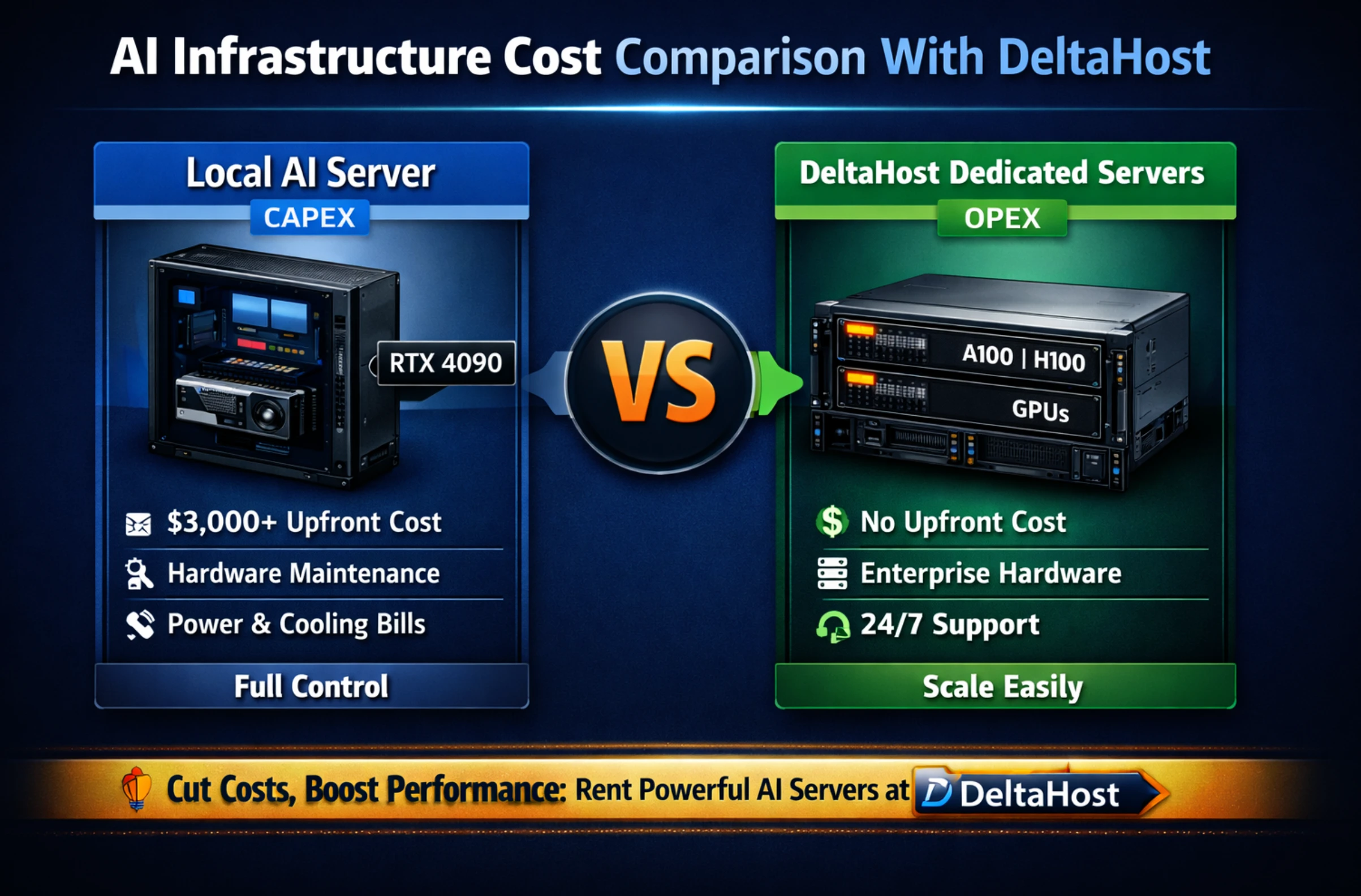
For example, an NVIDIA RTX 4090 with 24GB of VRAM is powerful enough for many personal AI projects. It can handle smaller models and many quantized versions of larger models. But a 70B parameter model requires much more memory capacity, often pushing users toward professional GPUs, multiple graphics cards, or systems with large unified memory pools.
Suddenly, the project changes from buying a gaming GPU into building a small data center inside your office. You may need additional cooling, a stronger power supply, specialized motherboard support, and better airflow. The exciting idea of “free local AI” starts looking less like a hobby computer and more like a serious infrastructure investment.
The Hidden Expenses Nobody Mentions
The purchase price is only the beginning. A local AI server consumes electricity, produces heat, and requires your personal attention. These factors rarely appear in online discussions where people compare only GPU specifications.
A powerful GPU running many hours every day can consume hundreds of watts. According to typical workstation measurements, a high-end AI machine operating continuously can add hundreds of kilowatt-hours of electricity usage every month. Cooling costs become especially important in warm environments because every watt consumed by hardware eventually becomes heat.
There is also another cost that is difficult to calculate: your time. When something breaks, you become the technical support department. Driver problems, compatibility issues, firmware updates, and hardware failures become your responsibility. For enthusiasts this can be enjoyable, but for a business it can become an unnecessary distraction.
The Cloud Alternative: Flexible AI Power Without Hardware Ownership
Cloud GPU rental completely changes the financial model of artificial intelligence computing. Instead of purchasing expensive hardware and hoping it remains useful for several years, you rent access to powerful machines only when you actually need them. This approach is similar to renting a professional workshop instead of building your own factory.
For developers, researchers, and startups, this flexibility can be extremely valuable. You can launch a powerful GPU instance, test a model, run experiments, complete a training task, and shut everything down when the work is finished. There is no need to worry about hardware depreciation, cooling systems, or replacing outdated GPUs.
Modern cloud infrastructure provides access to enterprise accelerators such as NVIDIA A100, H100, and newer AI-focused platforms. These systems are designed for workloads that would be difficult or impossible to handle on a typical desktop computer.
Cloud GPU Rental vs Local AI Server: The Financial Reality
The biggest advantage of cloud computing is the absence of a large initial investment. A developer can experiment with advanced AI infrastructure without spending thousands of dollars before writing the first line of code.
| Factor | Local AI Workstation | Cloud GPU Rental |
|---|---|---|
| Initial Investment | $3,000–$10,000+ | $0 |
| Payment Model | One-time hardware purchase | Hourly or monthly billing |
| Maintenance | User responsibility | Provider manages infrastructure |
| Hardware Updates | Requires new purchases | Instant access to newer GPUs |
| Best Usage Pattern | Heavy continuous workloads | Flexible and unpredictable workloads |
When Does Local Hardware Become Cheaper?
The answer depends on utilization. If your AI server works only a few hours per week, purchasing expensive hardware is difficult to justify. You are paying thousands of dollars for a machine that spends most of its life sitting idle.
But the situation changes when the workload becomes constant. A company running AI inference services every day, processing thousands of requests, or continuously analyzing data may quickly reach the point where owning hardware becomes financially attractive.
Think of it like transportation. Renting a car for occasional trips is cheaper than owning one. But if you drive every single day for business, ownership often becomes the logical choice. AI infrastructure follows the same economic principle.
| Usage Pattern | Recommended Solution | Reason |
|---|---|---|
| Few hours per week | Cloud GPU Rental | No need for expensive idle hardware |
| Daily development and testing | Hybrid approach | Balance flexibility and cost |
| 24/7 AI service | Dedicated hardware | Lower long-term operating cost |
The Hidden Advantage of Cloud Infrastructure: Speed of Innovation
One important factor is often ignored during cost comparisons: speed. Technology moves incredibly fast in artificial intelligence. A GPU that looks impressive today can become outdated much faster than traditional computer hardware.
Cloud providers absorb this technological risk. When a new generation of AI accelerators appears, customers can simply choose a newer instance type. A local hardware owner, however, must sell old equipment and invest again.
The Smart Solution: Combining Local and Cloud Computing
The debate between local AI and cloud AI is often presented as a competition where only one option can win. In reality, many successful teams use both. A hybrid strategy allows you to combine the advantages of private hardware with the flexibility of external computing resources.
A practical workflow might look like this:
- Local development: Use a workstation for coding, testing smaller models, preparing datasets, and experimenting with ideas.
- Cloud acceleration: Move demanding tasks such as fine-tuning, large-scale testing, or heavy inference workloads to powerful GPU servers.
- Production deployment: Choose the most economical infrastructure based on real user demand and traffic patterns.
Who Should Choose a Local LLM Setup?
A local AI server is a strong choice for users who value privacy, control, and constant availability. Researchers working with sensitive information, companies handling confidential data, and enthusiasts who enjoy experimenting with hardware may benefit greatly from owning their infrastructure.
For example, a small company analyzing internal documents may prefer keeping its AI system inside its own network. A developer building personal automation tools may appreciate having unlimited access without worrying about API costs.
Who Benefits More From Cloud AI?
Cloud infrastructure is usually the better option for people who need flexibility. If your workload changes every month, renting powerful hardware prevents unnecessary spending.
Imagine a startup launching a new AI application. During development, the team may need different GPUs, different memory configurations, and temporary computing power. Buying every possible hardware configuration would be unrealistic. Cloud services allow experimentation without huge financial commitments.
Final Verdict: The Cheapest AI Server Is the One You Actually Use
Local LLM deployment offers independence, privacy, and long-term value for users with consistent workloads. Cloud GPU rental provides speed, flexibility, and access to advanced hardware without a massive upfront investment. Neither approach is universally better.
Before purchasing a powerful workstation or renting an expensive GPU instance, analyze your actual requirements. How many hours will the system run? How large are your models? Do you need maximum privacy or maximum flexibility?
The future of AI infrastructure will likely not belong only to local machines or only to cloud platforms. The winning strategy will be choosing the right combination of both. Build locally where it makes sense, scale externally when necessary, and make every dollar of computing power work for you.

Moh. Shobirin, S.Kom adalah founder Jawaracloud.net sekaligus SEO Expert dan penulis teknologi. Dengan gelar Sarjana Komputer dan latar belakang elektronika, ia memiliki keahlian lintas bidang—mulai dari perbaikan hardware (komputer/printer) hingga strategi optimasi mesin pencari. Selain berkarya, ia juga aktif sebagai Trainer di bidang IT.